

Catalog, tour, and contacts
The career admin, out of the spreadsheet
Your releases, your dates, and your contacts in the dashboard that also runs your website. For self-managed musicians, artists, and DJs who would rather not be their own data-entry department.
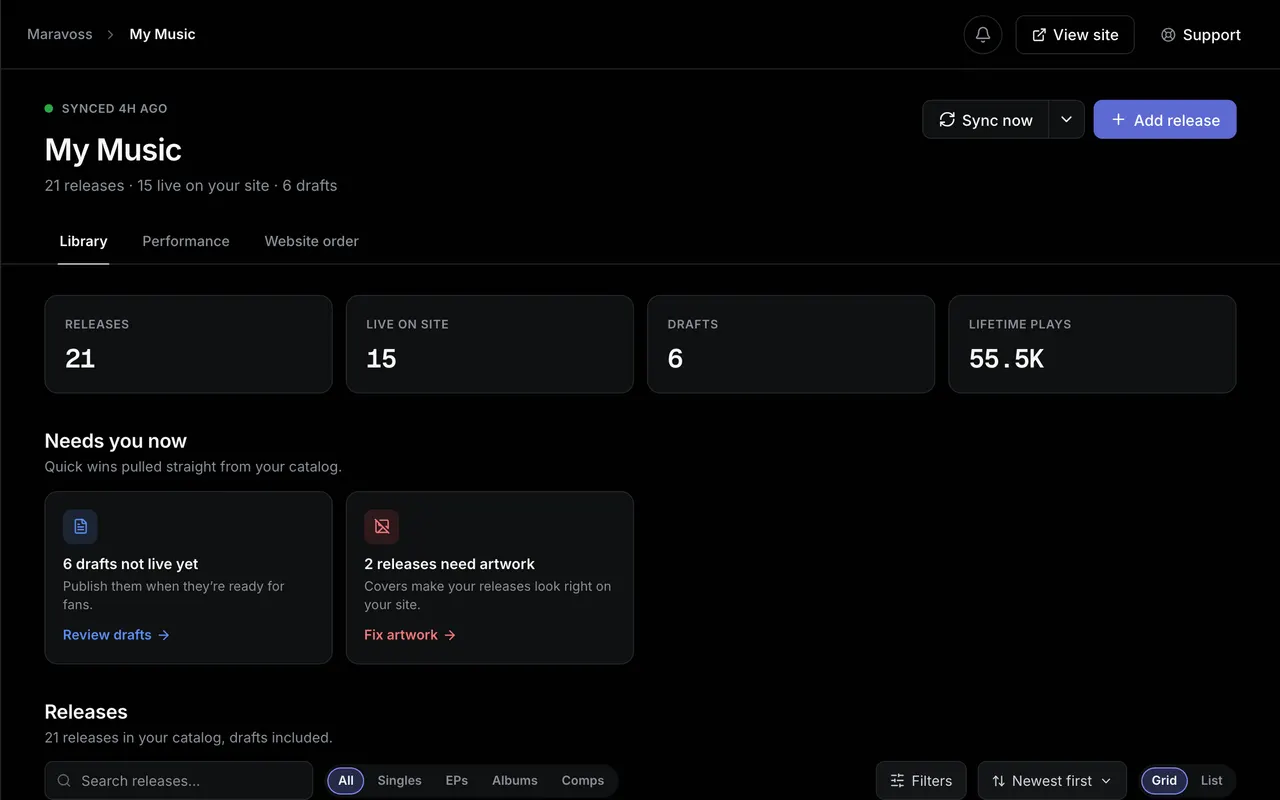
A catalog that imports itself
Connect Spotify or SoundCloud once and your discography appears with artwork, tracklists, and credits. After that it stays fresh on its own: SoundCloud is checked daily, Spotify weekly, and new uploads show up without you touching anything. DJ mixes and SoundCloud-only releases import too, because plenty of careers live there.
- Releases, tracklists, artwork, and credits imported for you
- SoundCloud checked daily, Spotify re-scraped weekly
- DJ mixes and sets import like any release
Add a show once, it goes everywhere
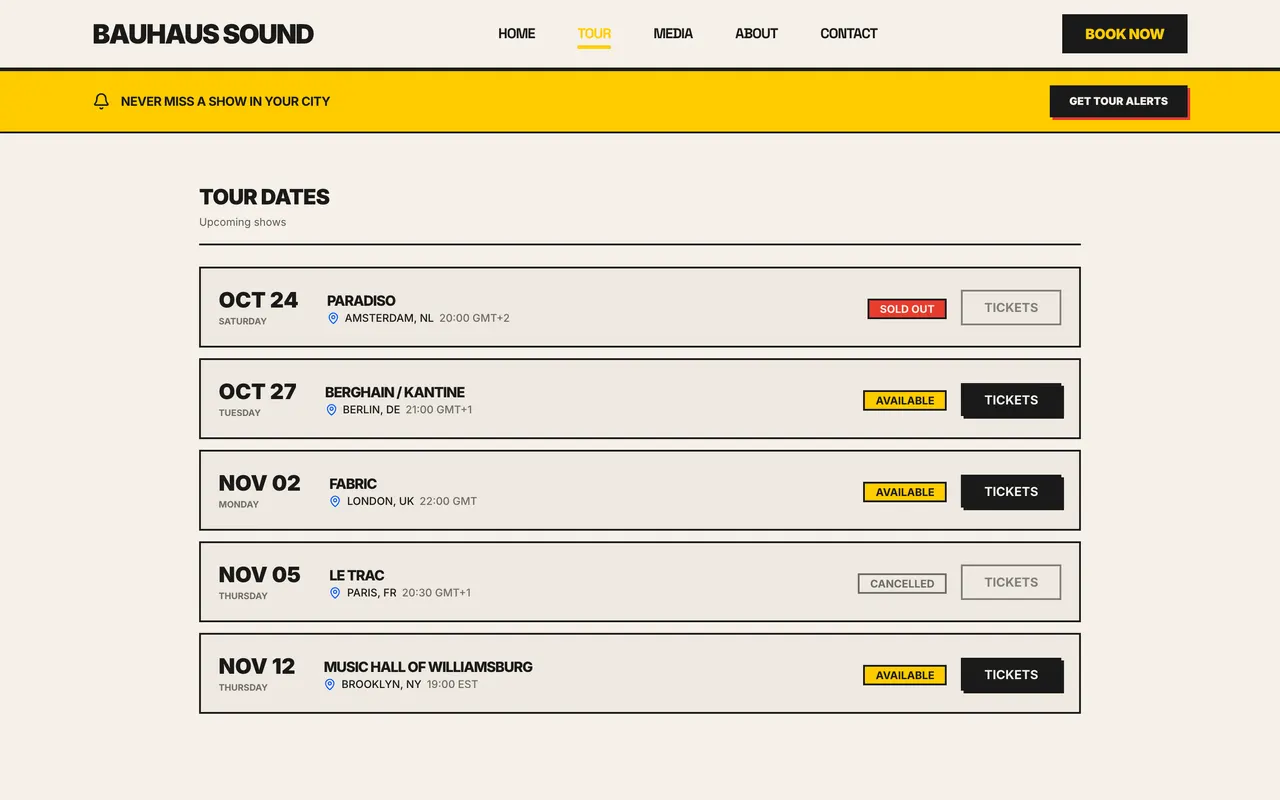
Enter a show in the dashboard and it is on your website's tour page the same second, with ticket links, sold out badges, and cancelled states when you need them. When the night has passed, the show files itself away. No more editing the site every time the run changes.
- Dates appear on your site the moment you save them
- Ticket links, sold out, and cancelled states built in
- Past shows archive themselves
The people, in one list
Promoters, venues, press, and collaborators end up scattered across email threads and phone notes. Keep them in one contact list next to the shows and invoices they relate to, and bring the list you already have with a CSV import.
- Promoters, venues, and press in one place
- CSV import for the spreadsheet you keep today
- The same names feed your invoices and inbox
Connected
It talks to the rest of the platform
The catalog is one corner of the same dashboard. Two more are a click away.
Your files
The stems, artwork, and photos behind these releases live in the Vault, shared with tracked links.
Explore the VaultGetting paid
Any tour date becomes its invoice in one click, billed to a contact already in your book.
Explore invoicingFAQ
Catalog and tour questions, answered
Which platforms does the catalog sync from?
Spotify and SoundCloud. Connect either one, or both, and your releases arrive with artwork, tracklists, and credits. The other platforms your listeners use are linked from your site as streaming links on every release.
How often does it sync?
SoundCloud is checked daily, and a new upload there also triggers a fresh look at your Spotify releases. Spotify gets a full re-scrape weekly. You can also hit the import button yourself whenever you want it done right now.
Do DJ mixes and sets import?
Yes. If it lives on your SoundCloud, it imports like any other release, artwork included. DJs are not an afterthought here.
Can I edit imported releases?
Everything is editable. Fix a credit, swap artwork, reorder tracks, hide a release from your site entirely. The import gives you a starting point, not a locked record.
Do tour dates really update my site instantly?
Yes. The tour section of your website reads from the same dates you manage in the dashboard, so adding a show once puts it on your site immediately. Past shows move out of the upcoming list on their own.
Retire the spreadsheet
Connect Spotify or SoundCloud free and watch your catalog assemble itself.